Capture Operations.
No App. No Accounts.
Via QR Code.

Issue reports, maintenance logs, repairs, and handovers – securely captured via QR code and PIN. For employees and external technicians. On any device with a camera.

No App Required
No Login Needed
PIN Protected
✓ 30 Days Free ✓ No Credit Card ✓ Full Feature Access

Why Traditional Systems Fail

Rotating Staff

Seasonal workers, temp staff, new hires – creating accounts for everyone is impractical. Training takes time you don't have.

External Technicians

HVAC, IT service, elevator maintenance – they need to document their work, but you can't give system access to every vendor.

No Time for Setup

Installing apps, explaining interfaces, managing passwords – every step is friction. Reports don't get filed.

Public QR = Abuse Risk

Guests or visitors could scan and submit spam. An unprotected QR code on a device is an invitation for misuse.

QR Token + PIN = Secure Without Friction

The QR code identifies the object. The PIN controls who can submit.

Object Identification via QR Token

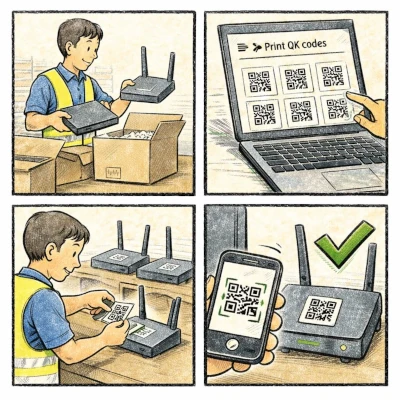
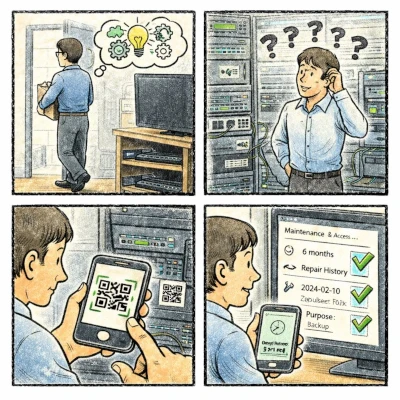
Each device, machine, or room gets a unique QR code. When scanned, the system knows exactly which object is involved – no manual selection, no typing errors.

Access Control via PIN

Optional shared PIN prevents unauthorized submissions. One PIN for staff, a different one for technicians. No personal accounts needed.

Works on Any Device

Smartphone camera opens a web form. No app download. No login screen. Just scan, enter PIN, submit.

How It Works

1

Scan QR Code

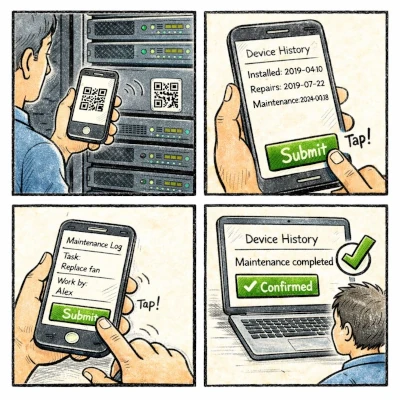
Employee or technician scans the QR code on the device, machine, or room with their phone camera.

2

Select Operation Type

Choose from: Issue Report, Maintenance Log, Repair Documentation, Technician Visit, or Handover.

3

Enter PIN (Optional)

If PIN protection is enabled, enter the shared PIN. Blocks unauthorized submissions.

4

Fill Form & Submit

Describe the issue, upload a photo if needed, submit. Object is automatically linked.

5

Done

Submission arrives in your dashboard. One click to create a ticket. Full documentation trail.

What Can Be Documented

Nexuraplant is not limited to IT equipment. Track anything with a location.

IT Systems

Servers, routers, switches, workstations, printers, access points

Machines & Equipment

HVAC units, elevators, generators, production machinery, kitchen equipment

Tools & Assets

Power tools, measurement devices, safety equipment, specialized instruments

Vehicles

Company cars, forklifts, delivery vehicles, golf carts, service vans

Rooms & Facilities

Conference rooms, storage areas, electrical rooms, server closets, guest rooms

Infrastructure

Fire extinguishers, emergency exits, electrical panels, water mains

What Can Be Captured

Issue Report

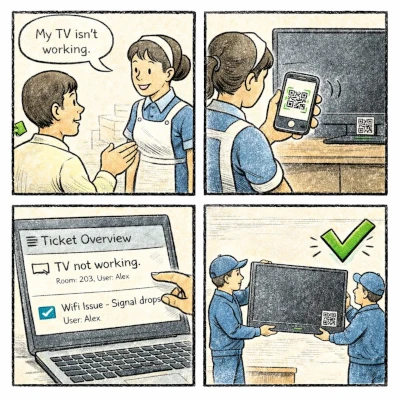
Something's broken or not working. Staff reports the problem – device is automatically identified via QR.

Maintenance Log

Regular maintenance completed. Document what was done, when, and by whom.

Repair Documentation

Repair completed. Record what was fixed, parts used, and current status.

Technician Visit

External technician documents their service call. Arrival time, work performed, next steps.

Handover / Transfer

Equipment changes hands. Document who received what, in what condition, with optional signature.

Protection Without Complexity

QR Codes Are Public

The QR code can be seen by anyone – it just identifies the object. By itself, it doesn't allow any action.

PIN Controls Access

Enable PIN protection to require a shared code before submission. Only people who know the PIN can file reports.

Separate PINs for Roles

Different PIN for staff vs. external technicians. Track who submitted what based on which PIN was used.

No Personal Data

No user accounts means no personal data to manage. GDPR-friendly by design.

What Nexuraplant Is – And Isn't

Not a Ticketing System

Ticketing systems require user accounts, assignments, and workflows. Nexuraplant captures operations – tickets are optional one-click conversions.

Not Just IT Documentation

IT documentation platforms focus on networks and servers. Nexuraplant handles any physical object – from elevators to fire extinguishers.

Object-Based Operation Capture

Every submission is linked to a physical object. The QR code ensures correct identification. The form captures what happened.

Frictionless Documentation

Designed for people who don't have time for complex systems. Scan, PIN, submit – under 30 seconds.

Built For Operations

Hotels & Hospitality

  • Housekeeping reports broken AC via QR scan
  • External IT vendor logs router repair
  • Shift handover documents open issues
  • PIN blocks guest abuse of QR codes

Property Management

  • Tenants report elevator issues via QR
  • HVAC technician logs maintenance visit
  • Fire extinguisher inspection documented
  • Manage 50+ buildings from one dashboard

Manufacturing & Facilities

  • Machine operator reports malfunction
  • Maintenance team logs daily checks
  • External service documents repairs
  • Tool handover with condition record

Beyond QR Capture

Full documentation and management capabilities for your operations team.

Credential Vault

Store network passwords, admin credentials, and access codes. AES-256 encrypted. Audit log for every access.

Maintenance Scheduling

Plan recurring maintenance. Get reminders. Track completion rates.

Vendor Management

Track service providers, contracts, and which vendor handles which systems.

Emergency Plans

Step-by-step procedures for critical failures. Always accessible, always current.

Document Storage

Attach manuals, contracts, and specs to each object. Everything in one place.

Activity Log

Every change logged with timestamp. Full audit trail for compliance.

See It In Action

Try Nexuraplant free for 30 days. Full access to all features. No credit card required.

  • 30-Day Free Trial
  • No Credit Card Required
  • Setup in Minutes
Start Free Trial
Get Started with Nexuraplant Start Today